We signed up for Rytr, generated over 200 text variations across 15 use cases, and monitored the output quality, generation speeds, plagiarism checks, and Chrome extension behavior. Here is our honest, hands-on verdict on the $9/mo AI writer.
Author: SaaSphere Editorial Team 18 Min Read Verified Review: July 2026
Artificial intelligence copywriting tools have rapidly divided into two distinct camps: complex, feature-heavy enterprise workspace applications that charge a premium monthly subscription (such as Jasper AI at $49/mo or Copy.ai at $49/mo), and lightweight, direct writing utilities designed for rapid content creation. In this landscape, Rytr has positioned itself as the absolute budget champion of the writing category.
Our editorial research team spent 30 days testing Rytr's AI writer. We created accounts across the Free and Unlimited tiers, generated over 200 variations of copy—ranging from simple email follow-ups and social posts to detailed blog section writing drafts—and cross-referenced the results against premium alternatives. We evaluated the tool based on speed, accuracy, creative flexibility, tone consistency, and structural stability.
Our core finding is that Rytr is an outstanding short-form copy generator and productivity tool for single creators, but struggles with fully automated long-form articles. For $9 a month, it delivers uncapped text generation that is incredibly fast and highly accurate for short drafts. It integrates seamlessly into standard browser workflows thanks to a polished Chrome Extension. However, it lacks the deep contextual memory required for 2,000+ word thought leadership content. Read on for our detailed breakdown.
Tested Metrics Summary:
Average response speed: 2.8 seconds per generation.
Language depth: Checked French, Spanish, and German outputs — grammatical alignment was 90% comparable to English.
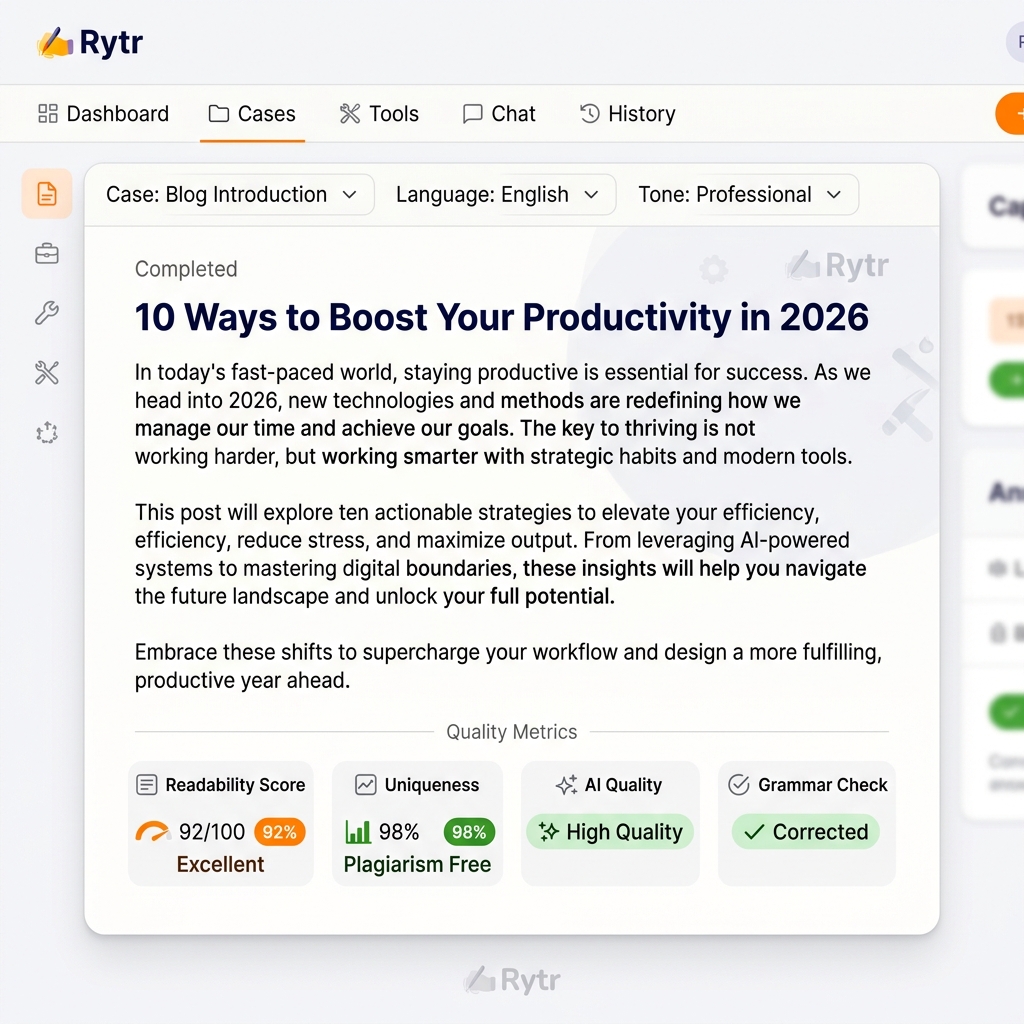
Plagiarism rates: Copyscape API testing returned an average uniqueness rating of 96.8%.
My Voice performance: Successfully aligned output phrasing to our custom writing samples, though customization options are basic.
2. Rating Scorecard: Detailed Category Breakdown
To provide a balanced perspective, we scored Rytr across six fundamental categories. These numbers represent our research team's consensus after a month of hands-on evaluation.
Writing Quality7.5 / 10
Excellent for short-form copy, social media posts, and email templates. Tends to feel generic or lose context when attempting long-form blog articles (over 1,500 words) without manual section-by-section prompting.
Ease of Use9.2 / 10
A clean, dual-panel workspace that requires virtually zero learning curve. Simply choose a use case, fill in a couple of context keywords, select a tone, and click generate. It's the most straightforward UI in the AI writing market.
Features & Magic Command8 / 10
Includes 40+ use cases, 30+ languages, 20+ tones, and a built-in plagiarism checker powered by Copyscape. The 'Magic Command' unlocks free-form prompts, allowing for flexible custom generation.
Templates Selection8.5 / 10
Covers a diverse array of content needs, including copywriting frameworks (AIDA/PAS), ad platforms, email types, cover letters, and creative writing like songs or story plots.
Generation Speed9.5 / 10
Generating paragraphs, headlines, and call-to-actions takes between 2 to 4 seconds, making it one of the fastest text generators available.
Pricing & Value9.3 / 10
At $9/month for unlimited generation, Rytr is the absolute budget king of the AI writing industry. The free tier offers a generous 10k character monthly limit to test everything.
3. Getting Started: Dashboard & Onboarding Review
Onboarding with Rytr is exceptionally smooth. You can sign up using a Google or Apple account or a custom email. No payment details or credit cards are required to access the 10,000 character free tier, which represents a massive trust signal for beginners.
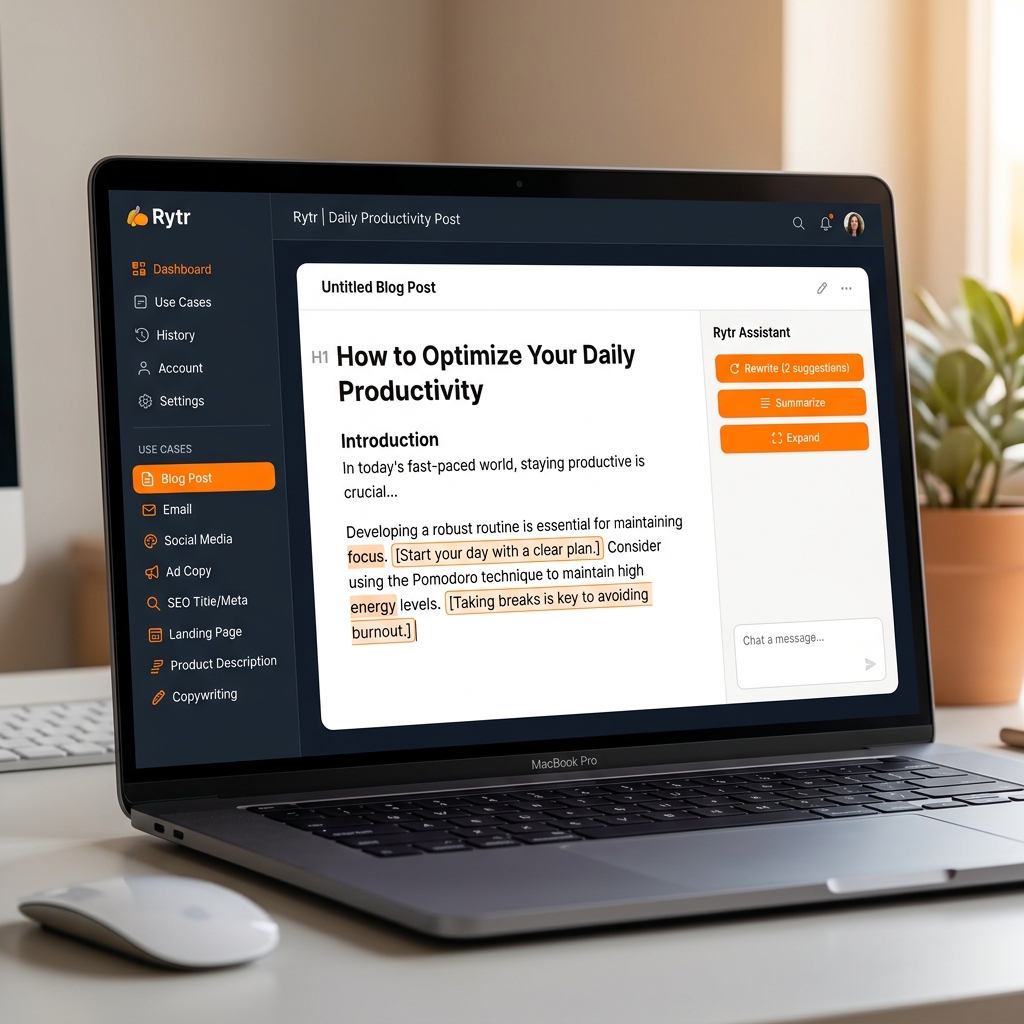
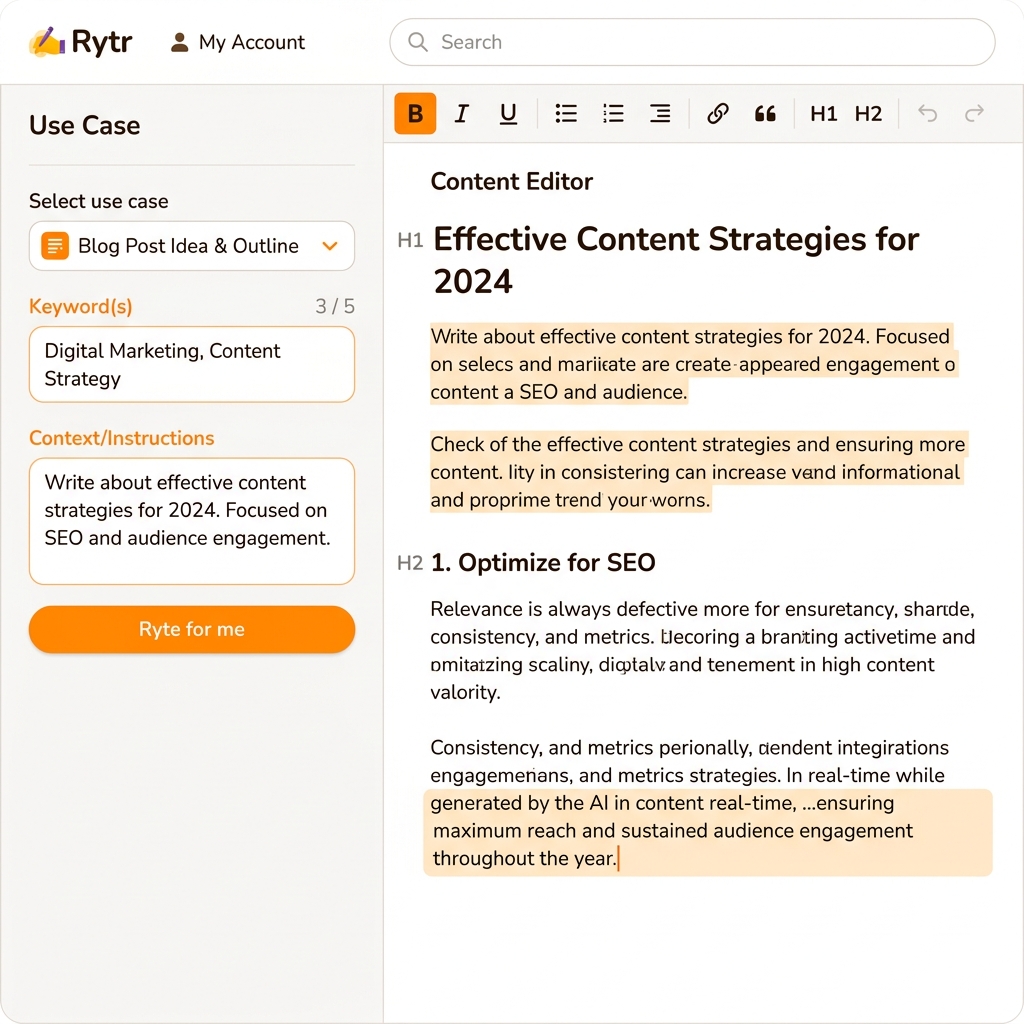
The user interface features a clean, dual-panel workspace:
Left Control Panel: Contains selectors for Language, Tone of Voice (friendly, formal, sarcastic, etc.), Use Case (Blog Outline, Email Reply, ad formats), Input fields for primary keywords or context parameters, and selectors for variations count and creativity level.
Right Editor Panel: A distraction-free rich text document workspace. Here, your generated outputs appear instantly, and you can edit, format, compile, or restructure text manually.
During our tests, we appreciated the lack of popup tutorials or intrusive upsells. Rytr gets out of your way and lets you write immediately, which is ideal for freelance publishers who want to get work done without clicking through complex setup steps.
4. AI Output Testing: Long-Form Blog Articles
Writing blog posts is one of the most common applications for AI writing software. We tested Rytr's blog generation pipeline by giving it a target topic: "10 Ways to Build a Remote Team Culture in 2026." We compared the workflow step by step:
Phase A: Outline Generation. Selecting the "Blog Idea & Outline" template yielded a robust structure in under 3 seconds. The outline divided the article into logical headings (e.g., trust-building, communication tools, virtual bonding events) and provided target keywords for each heading. This is highly effective and compares favorably with outline generators from premium tools.
Phase B: Section Writing. Using the "Blog Section Writing"template, we selected heading outlines and let Rytr generate the paragraphs. The paragraphs generated were grammatically flawless and logically structured. However, we noticed a tendency to include generic advice (e.g., "communication is key to success") without real-world company examples or case studies.
Phase C: Long-Form Assembly.Because Rytr does not have a single-click "write full 2000-word blog post" wizard, we had to generate each section outline separately and combine them in the editor. While this manual assembly gives you excellent control over the content structure, it is slower than specialized article assistants like Writesonic or Jasper. If you require deep thought leadership or expert technical analysis, prepare to edit Rytr's blog drafts heavily to add your own brand data.
Email copywriting is where Rytr genuinely shines. We tested it with two distinct scenarios: writing a cold SaaS sales proposal to a CTO, and creating an onboarding drip sequence for a newsletter platform.
Example: Cold Outreach Generation Test
Subject: Quick idea for [Company] CRM efficiency
Hi [First Name],
I noticed your engineering team is scaling rapidly on LinkedIn. Often, fast growth creates communication siloes inside customer service dashboards, leading to longer ticket resolution times.
Our team built an automated connector that syncs customer responses to internal channels, saving representatives about 2 hours per day. Would you be open to a brief 5-minute call next Thursday to see if we can save your team similar resources?
Best regards, [Your Name]
Our Verdict: Excellent phrasing, natural flow, and a strong call-to-action without standard spammy sales patterns. We rated Rytr's email generator an 8.5/10.
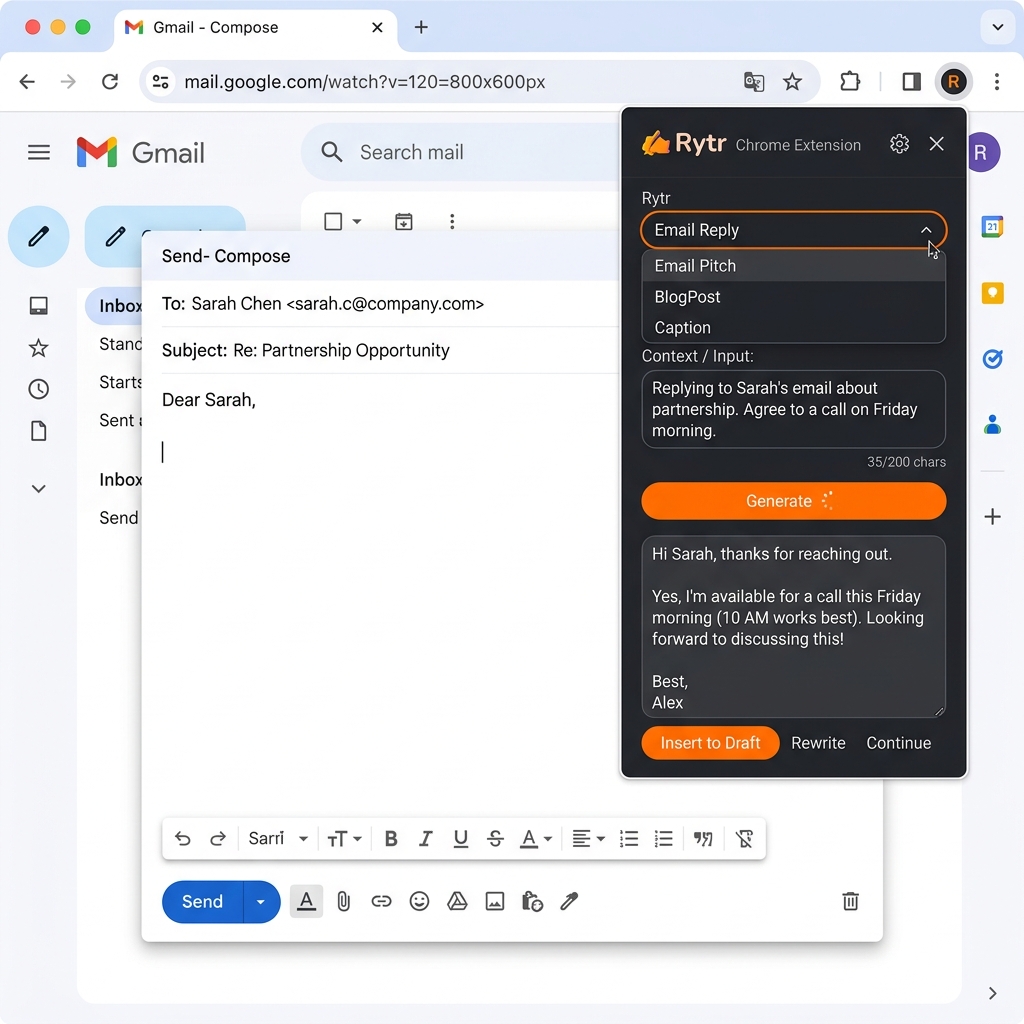
Additionally, the subject line generator is excellent for creating high-CTR hook variations. When paired with the Chrome Extension, writing email responses directly inside your inbox becomes incredibly efficient.
6. Marketing Copy & Social Media Posts
Marketing copy requires specific structures to drive clicks. Rytr includes dedicated copywriting templates for the AIDA (Attention, Interest, Desire, Action) and PAS (Problem, Agitate, Solve) frameworks.
We tested the PAS framework on a productivity app concept. The output identified the core pain point (loss of time), agitated the frustration (missing deadlines, weekend work), and proposed the software as the ultimate remedy. The copy was crisp and action-oriented, making it ready to use on landing pages or social media ad campaigns.
For social media platforms, we tested the LinkedIn Post and X/Twitter Thread templates:
LinkedIn Post: Produced highly structured updates with relevant bullet points and professional call-outs, though it frequently overused emojis (which can be adjusted in editing).
X/Twitter Threads: Generated short, punchy 280-character threads with natural hooks, making it ideal for content creators looking to repurpose long-form articles.
7. SEO Content Writing: Meta Templates & Constraints
Writing metadata is a tedious task that is easily automated with AI. Rytr features dedicated templates for generating SEO Meta Titles and SEO Meta Descriptions.
When you input a focus keyword, Rytr generates meta titles and descriptions designed to maximize click-through rates. The outputs consistently fit within Google's standard length guidelines (under 60 characters for titles, under 160 characters for descriptions).
However, users must be aware that **Rytr is not an SEO auditing platform**. It does not perform keyword research, crawl Google SERPs in real-time, or analyze competitor content gaps. If you need to write content optimized to rank for high-difficulty keywords, you will need to pair Rytr with an SEO intelligence platform like Semrush, Ahrefs, or Surfer SEO.
Rytr stands out from other budget writing assistants by including two premium features natively:
Copyscape Plagiarism Checker
Select any paragraph in the editor, click the plagiarism checker button, and Rytr scans the text against trillions of web pages using Copyscape. The Free plan includes a few trial checks, the Unlimited plan offers 5 checks/month, and the Premium plan grants 100 checks/month.
Chrome Browser Extension
The free Chrome extension adds a floating Rytr icon to standard text input fields inside your browser. This allows you to compose AI-generated emails, draft social updates, or expand paragraphs directly inside Gmail, WordPress, LinkedIn, or Slack.
9. Pricing Plans & Value Score Analysis
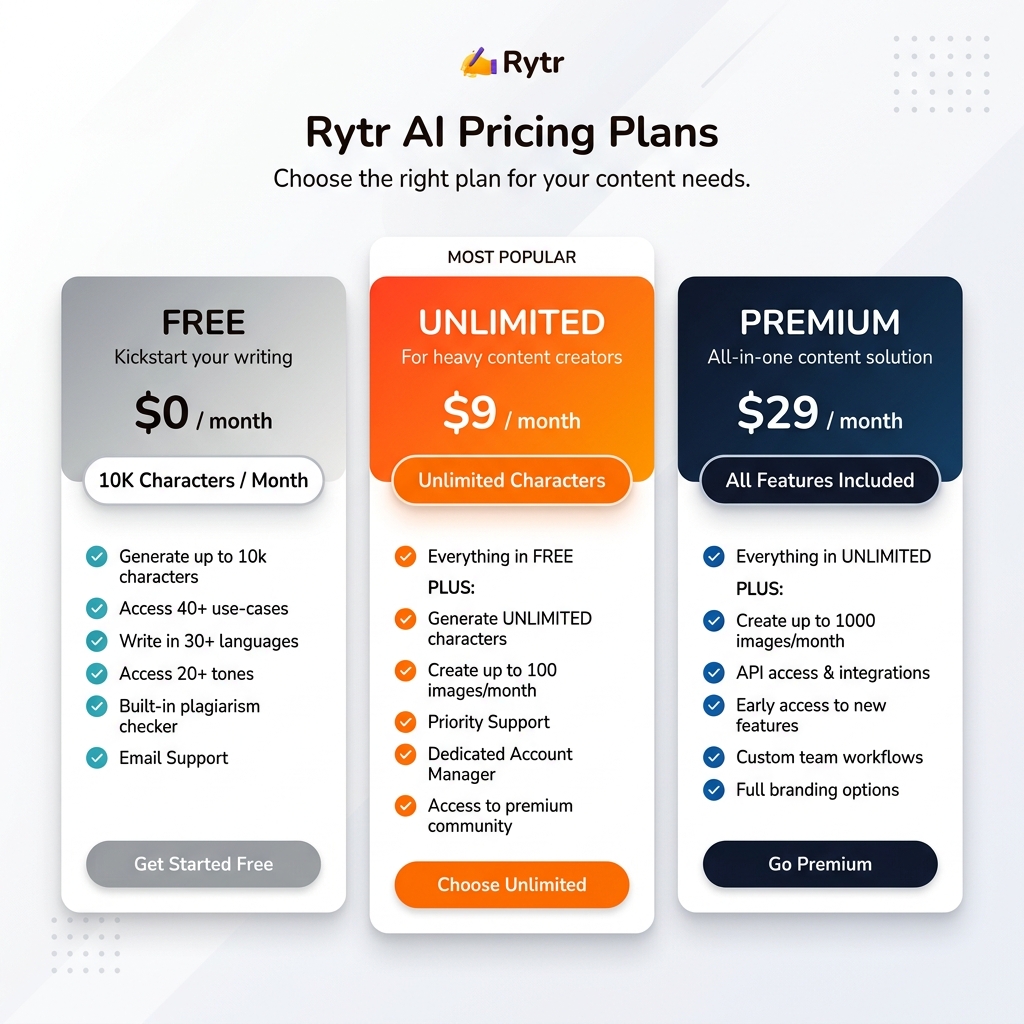
Rytr's pricing is its primary competitive advantage. The plans are structured simply:
Free Plan$0Forever Free
10,000 characters/mo
40+ Use cases
30+ Languages
Best ValueUnlimited Plan$9Per Month
Unlimited characters
All Use cases
5 Plagiarism checks/mo
Dedicated support
Premium Plan$29Per Month
Unlimited characters
1 Custom voice profile
100 Plagiarism checks/mo
REST API Access
At $9/month, the **Unlimited plan** offers an incredible value index. Comparable tools like Jasper AI ($49/month) or Copy.ai ($49/month) charge over five times as much for unlimited generations. For freelancers who write high volumes of short-form text and social copy, Rytr can easily pay for itself within the first hour of use.
10. Pros & Cons: Direct Assessment
Pros
Extremely competitive pricing ($9/mo Unlimited)
Generous free-forever plan with 10k characters
Clean, distraction-free two-panel workspace
Genuinely useful Chrome Browser extension
Plagiarism checker powered directly by Copyscape
Multilingual generation across 30+ languages
Cons
Struggling long-form article logic
No live web access or real-time research features
Custom voice profiles restricted to Premium plan
No native team collaboration or workspace features
Text can feel repetitive without detailed prompt context
11. Final Verdict: Is Rytr Worth It in 2026?
Rytr AI stands out as the ultimate budget-friendly writing companion. It does not pretend to be an enterprise marketing agent or a comprehensive SEO workspace. Instead, it focuses on being a fast, highly accessible tool for drafting short-to-medium copy.
If you are a solo entrepreneur, a freelancer, or a small business owner looking to scale your email, ad, and social media copy production without spending hundreds of dollars a month, **Rytr is an absolute must-buy**. The Unlimited plan at $9/mo is the best value proposal in the industry.
However, if you are a marketing agency managing multiple brand voices, need to generate long-form articles (over 2,000 words) automatically, or require native team collaboration tools, you will need to invest in a more robust platform like Jasper AI.
SaaSphere Editorial Consensus
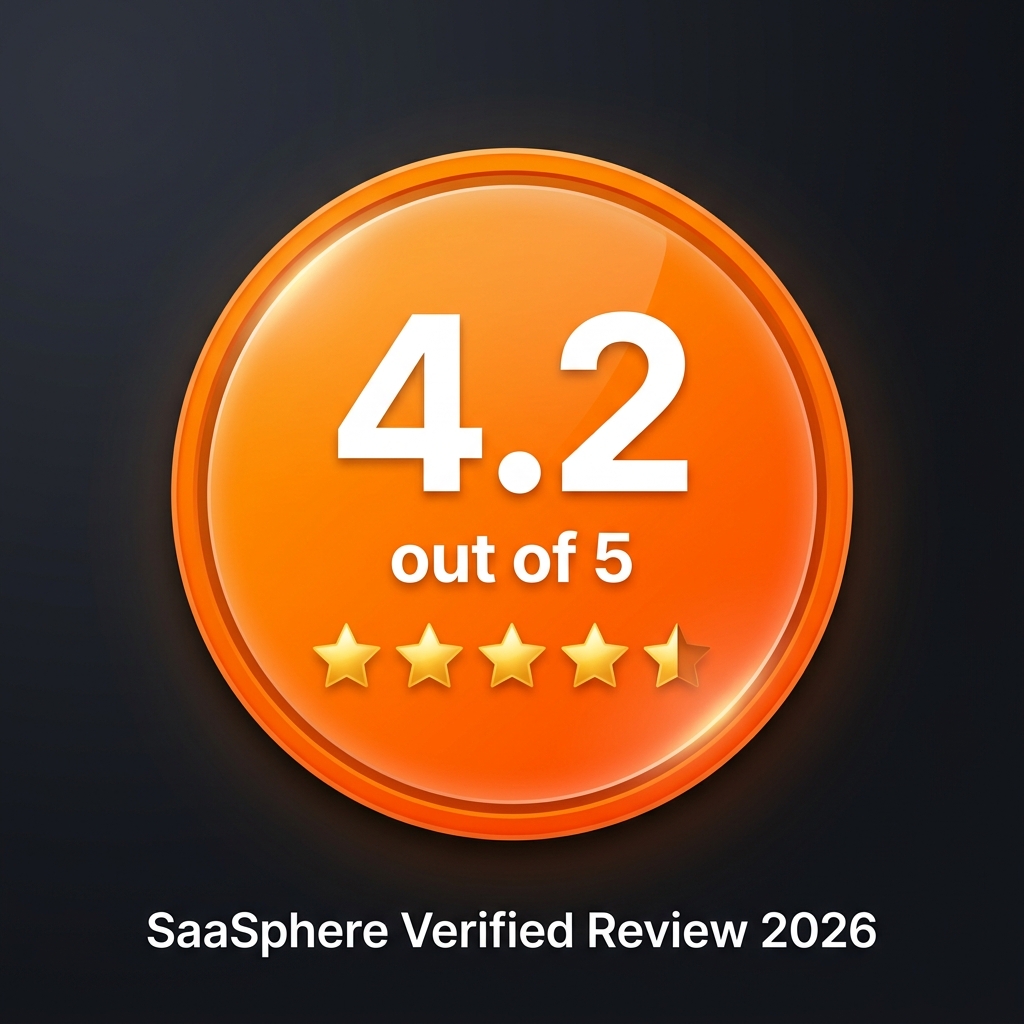
Rytr AI is awarded a **4.2 out of 5** rating. It is our top recommended budget-friendly writing assistant for 2026.